
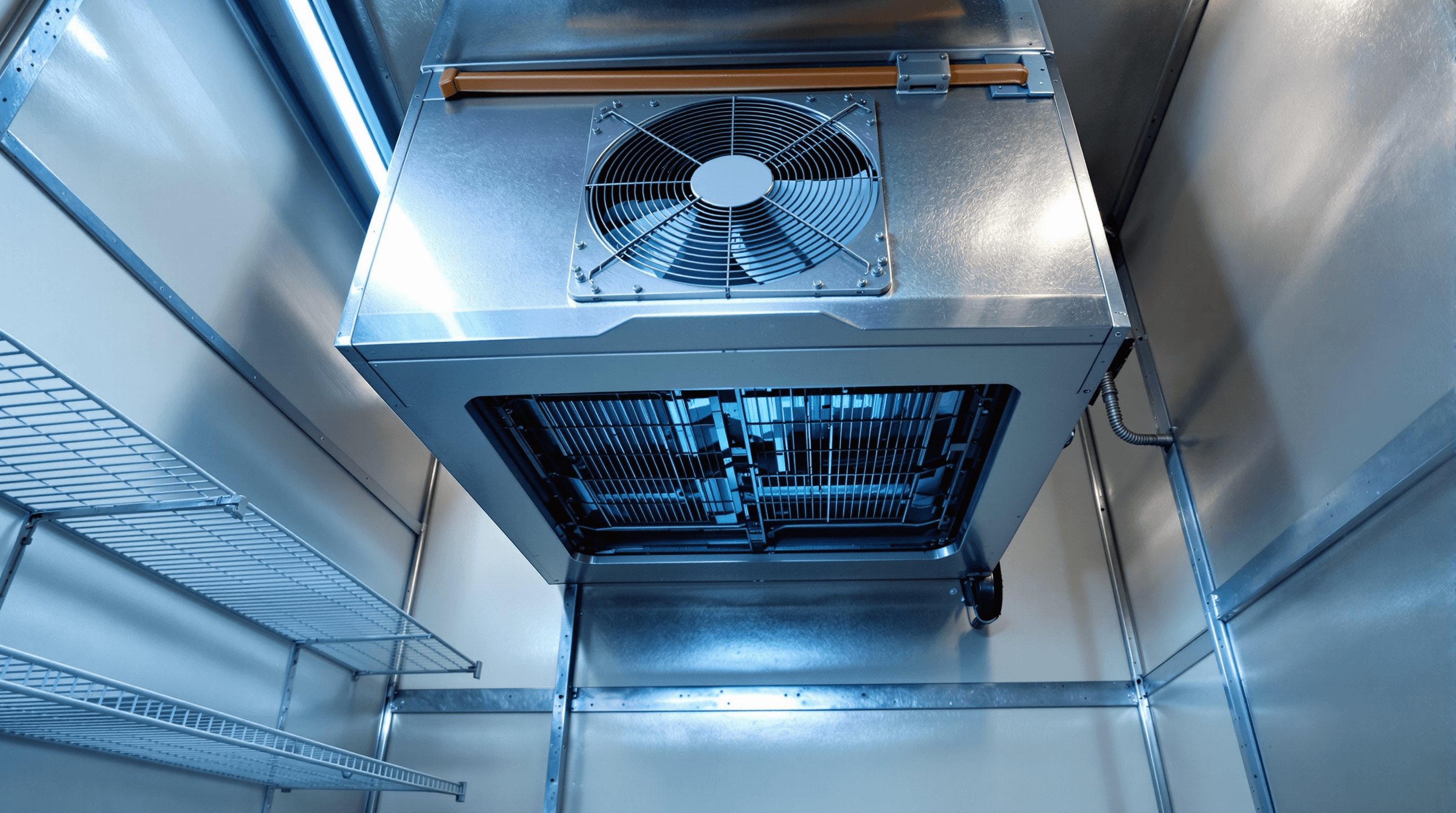
The thermometer outside the walk-in reads 47°F. The line is in the middle of dinner service. The bartender says the lettuce is warmer than it should be. The compressor outside is humming, or maybe it's silent, you can't quite tell from the kitchen. The kitchen manager has a phone in one hand and a thermometer in the other, and there are exactly enough seconds to figure out what kind of problem this is before the call.
This page is the deep version of the walk-in section of the symptom hub. The format is consistent: each symptom has what you might observe, the safe operator checks to run before calling, and the trigger to stop checking and dispatch. None of the checks require opening sealed panels, touching refrigerant lines, or doing anything an operator without an EPA 608 certificate shouldn't be doing. The point is documentation and trajectory, not diagnosis.
Where the components sit in a typical commercial walk-in
Most commercial walk-ins follow the same component layout: a remote condenser outside the box, an evaporator unit inside with one or more fans, a temperature controller on a wall, and an electrical panel with breaker and defrost timer near the rack. Mapping each symptom to the zone it lives in is useful when describing what you're seeing to dispatch.
Before the symptom pages, a mental map. Most commercial walk-ins follow the same component layout: a remote condenser unit somewhere outside the box (on the roof, in a back-of-house mechanical space, or behind the box on a slab), refrigerant lines running from the condenser to the evaporator inside the box, the evaporator unit mounted high on a wall inside the walk-in with a fan or fans moving cold air across the coils into the box, and a thermostat or temperature controller located somewhere on the box wall.
The layout is schematic, not architectural: exact positions vary by manufacturer (True, Traulsen, Master-Bilt, Norlake all lay components out differently) and by site (the condenser may be on the roof, behind the building, or in a mechanical room). The shape is consistent: a condenser somewhere outside the box, an evaporator with fans inside the box, a controller on the box wall, and electrical controls in a panel near the rack. The symptoms below all map to one of those four zones.
The six symptom pages
Six symptom patterns cover most walk-in failures: compressor running but box not cold, evaporator fan not running, ice on coils, door not sealing, thermostat oscillating, and water under the unit. Each section below has what you might observe, the safe operator checks, and the stop-and-call trigger. Take two thermometer readings ten minutes apart on every one: trajectory is the diagnostic.
Compressor running but the box isn't cold
What you observe: the outdoor compressor is humming (you can hear it from the rooftop or the mechanical space), and the box temperature is at or above target with the thermometer showing a flat reading or a slow climb. Cold air doesn't move when you stand at the door with it open. The evaporator fan may or may not be running.
Safe operator checks
- Open the walk-in door, stand in the cold space, and listen for the evaporator fan. If you don't hear or feel air movement at the diffuser, that's a fan-not-running symptom: jump to the next section.
- Look at the evaporator coils inside the box. Heavy frost or solid ice on the coils means the coils can't transfer heat. Document the ice extent.
- Confirm the door has been closed normally. A propped-open door for a delivery, a forgotten close after a rush, or a failed gasket all produce the same temperature symptoms.
- Walk to the condenser (outside or on the roof, if safely accessible) and confirm the condenser fan is running and the airflow path isn't blocked by debris, boxes, or dust loading.
- Take two temperature readings ten minutes apart. Note the trajectory.
Stop and call when the box has TCS product inside and is climbing past 41°F, or when the safe checks have ruled out the simple causes (door, visible obstruction) and the symptom persists. Do not attempt to break ice off the coils.
Evaporator fan not running
What you observe: stand in the open doorway of the walk-in and there's no air movement coming from the diffusers above the evaporator. The compressor outside is running. The coils may be cold to the touch and visibly frosted, but the cold isn't moving into the box.
Safe operator checks
- Confirm visually that the fan blade isn't turning: look up at the evaporator from inside the box. Some models have multiple fans; check all of them.
- Check whether ice has built up against the fan blade. Heavy ice can stop the fan; the fix is a forced defrost, which is technician work, not something to attempt by hand.
- Confirm the breaker for the walk-in hasn't tripped. A single reset is reasonable; if it trips again, stop and call.
- Check the temperature reading and trajectory. A fan failure with iced coils tends to produce a faster temperature climb than a fan failure with clean coils.
- Document: model and serial number of the evaporator unit (manufacturer plate usually on the side), what you see, what you hear, and the temperature trajectory.
Stop and call when the fan is confirmed not running. Do not attempt to manually start the fan blade or remove ice from a running unit.
Heavy ice on the evaporator coils
What you observe: looking up at the evaporator coils inside the box, the coils are heavily frosted or completely encased in ice. Normal frost is a thin uniform layer that defrost cycles handle. Heavy ice is a layer thick enough to obscure the coil structure or block the fan blade. The box temperature is usually climbing because the iced coils can't transfer heat.
Safe operator checks
- Confirm the door has been sealing normally. A frequently-opened door or a failed gasket lets humid kitchen air into the box continuously, which the defrost cycle can't keep up with.
- Confirm nothing is blocking the evaporator diffusers: product stacked too high, boxes pressed against the unit, plastic wrap or signage flapping in the airflow.
- If your walk-in has a defrost-cycle indicator (some controllers do), note when the last defrost cycle ran. If the cycle hasn't run on its expected interval, that's a defrost-timer or defrost-heater issue.
- Document the ice extent (a phone photo works), the trajectory of the box temperature, and the door-sealing condition.
- Move product away from the evaporator unit if possible: meltwater during the eventual defrost is going to fall.
Stop and call when the ice is heavy enough to block airflow, the box is climbing, or the defrost cycle isn't running on its expected interval. Do not attempt to physically remove ice from the coils: the fin material is fragile and a bent fin is a worse symptom than the ice.
Walk-in door not sealing
What you observe: the box is slowly climbing in temperature even when the unit appears to be running normally: the compressor cycles, the fan runs, the coils are clean. The door looks closed but you suspect it isn't sealing properly. Sometimes you'll see condensation forming on the outside of the door near the gasket, a sign humid air is making contact at the gap.
Safe operator checks
- The dollar-bill test. Close the door on a dollar bill so half is inside and half is outside. Try to pull the bill out. A working gasket holds the bill firmly. A failed gasket lets it slide. Test at the top, bottom, hinge side, and strike side: gaskets fail unevenly.
- Visually inspect the gasket. Look for cracks, tears, hardening, or sections where the gasket has pulled away from the door frame. A common failure mode is the gasket sealing flap collapsing flat against the door instead of standing proud.
- Confirm the strike plate (the metal plate the latch closes against) is aligned with the door latch. A misaligned strike plate can prevent the door from compressing the gasket all the way.
- Check the door closer or self-closer. If the door doesn't pull itself fully shut, the gasket is being asked to do work it isn't designed for.
- Document the failure location (top, hinge side, etc.) and whether the failure is gasket-side or strike-side.
Stop and call when the gasket has visible damage, the dollar-bill test fails in more than one location, or the door doesn't self-close. A failed gasket is a relatively cheap part and a fast replacement, not an emergency unless TCS product is at risk.
Thermostat short-cycling or oscillating
What you observe: the compressor turns on and off in short bursts, every minute or two instead of every fifteen to thirty minutes that a normal cooling cycle takes. The box may or may not be holding temperature. The audible pattern is the giveaway: rapid clicking or compressor cycling.
Safe operator checks
- Check the controller setpoint. Kitchen staff sometimes touch the controller and change the setpoint inadvertently. Note what the setpoint reads and confirm it matches your normal operating temperature.
- Confirm the temperature sensor is in its normal location. Sensors taped to product boxes, sitting in front of the diffuser, or pulled out of their bracket give the controller false readings.
- Note the cycle timing: how long the compressor runs before shutting off, and how long it stays off before restarting. A pattern of 30 seconds on and 90 seconds off is short-cycling; a pattern of 20 minutes on and 5 minutes off is normal.
- Document the cycle pattern with a stopwatch (your phone works). The dispatcher will route the call faster with specific timing.
- Note any unusual sounds or behavior: a hard short-cycle pattern often signals a refrigerant charge issue or a contactor problem.
Stop and call when the cycle pattern is confirmed short and the setpoint and sensor are normal. Short-cycling on a healthy unit causes accelerated compressor wear and is worth resolving even if the box is currently holding temperature.
Water on the floor under the unit
What you observe: standing water or active dripping on the floor under or near the walk-in. The water may be clean (clear, slightly cool, no smell) or it may have a faint oily smell. Source is usually one of three places: the drain line, the defrost pan, or the refrigerant side.
Safe operator checks
- Identify the water source if you can. Look up at the drain line coming out of the walk-in: is it dripping at the connection, at a joint, or somewhere along the run?
- Smell and look at the water. Clean clear cool water is almost certainly drain-line or defrost-pan related. An oily smell or yellowish tint suggests refrigerant-side, which is a technician issue.
- Place a temporary bucket under the drip if it's accessible and not actively flooding. Document the rate (drops per minute, or a continuous stream).
- Check whether the drain pan inside the unit is overflowing (visible if you look up at the evaporator from inside the box): a clogged drain line backs up into the pan.
- Confirm the floor drain in the kitchen near the walk-in is accepting water normally. Sometimes the "water under the unit" is actually a backed-up floor drain.
Stop and call when water is actively flooding, the source is on the refrigerant side, or the source isn't obvious. Do not attempt to clear a frozen drain line by force. Document the location of the source if you've identified it; the technician will route faster.
Trajectory beats absolute temperature. Two readings ten minutes apart tell you whether you have time or whether you don't. The dispatch you make on a trajectory is faster and cheaper than the dispatch you make on panic.
What to do with the product while you wait for dispatch
Three TCS thresholds matter: 41°F (the holding limit), the 0–4 hour window above 41°F (still salvageable per most AHJ guidance), and the 4+ hour exposure that almost always triggers discard. The decision at minute 11 isn't "what's wrong with the box," it's "what gets moved, what gets held with a timeline, what gets discarded, and what menu items come off the board." Document the temperature timeline from the first reading; that document is what the AHJ conversation runs on if any product has to be discarded.
The kitchen-manager decision tree while the technician is on the way: first, identify the TCS items in the box (proteins, dairy, prepared salads, cooked starches, cut produce above 41°F threshold). Second, identify destinations. Sister-location walk-ins are first-choice for product worth saving. Prep-table cold wells can hold smaller batches short-term. Reach-in coolers in the bar or pastry station can absorb some volume. Freezer is a short-term hold only if the product can be frozen without quality loss. Ice baths and ice-filled pans work for a few items in the immediate window but are not a real solution past 60 minutes. Third, divide the product into three piles: move (to a destination above), hold with a documented timeline (the AHJ-guidance window), and discard (anything that exceeded threshold for too long).
The menu decision is the front-of-house conversation. If the chicken Caesar's chicken has been over-temperature for ninety minutes and you're not confident about salvage, the salad comes off the board now, not when the first customer sends it back. The seafood is the second one to come off by default. The dairy items in the salad station are the third. Compliance hedging required here: confirm with your AHJ the specific time-temperature exceptions that apply in your jurisdiction, especially under the California Retail Food Code (CalCode). Most operators err conservative; pulling an item from the board with front-of-house is cheaper than a customer-illness conversation later.
The document trail matters. Start a temperature timeline at the first reading (time, temperature, location of thermometer in the box). Note each subsequent reading. Note when product was moved, what was moved, where it went, and when. Note any product discarded with rough quantity. The kitchen manager or chef makes the call on each item, and front-of-house gets a list of pulled items with a one-sentence reason in case a regular asks. If the technician arrives quickly and the box recovers, the timeline becomes the documentation that lets you defend the held product if an inspector ever asks. If the box doesn't recover, the timeline becomes the discard log.
What model and serial numbers to give the dispatcher
Walk-in manufacturer plates live in three places: on the evaporator (side or inside an access door), on the condenser (outside the box housing), and on the box itself (near the door). The evaporator and condenser plates are what the dispatcher actually needs: those identify the parts that may need to be on the truck. Phone photos of the plates work fine and save spelling.
Most commercial walk-ins have manufacturer plates in three places: on the evaporator unit (usually on the side, sometimes inside an access door near the fan), on the condenser unit (outside the box, on the housing), and on the box itself (often near the door, on the side wall). Each plate has the model number, serial number, and electrical specs.
The model and serial number on the evaporator and condenser are what the dispatcher actually needs: those identify the specific parts that may need to be on the truck. The box model is useful but secondary. Phone photos of the plates are fine and save spelling.
If the unit was built or installed before your tenure and the plate is missing or unreadable, the dispatcher can usually work with brand and approximate age, but parts coverage on a first-trip basis goes down. Worth replacing the plate (or adding an asset tag) at the next service visit so the next emergency runs faster.
If you're at a unit right now: find the symptom that matches what you're observing, run the safe checks listed, and call dispatch with the trajectory (two thermometer readings, ten minutes apart) and the observations. The conversation should take three minutes. If product is at risk and the unit is climbing past 41°F, start the timeline documentation now: date, time, temperature, what TCS items are in the box. The timeline becomes the basis for the AHJ conversation if any product needs to be discarded.
If you're reading this before an event: print this page, tape it inside the office or on the wall near the walk-in, and walk through the layout with the kitchen team so the components have names. Most operators with a chronic walk-in problem have it because nobody had a vocabulary for the symptoms until the symptom turned into a failure.
For Southern California operators on Boh, which manages back-of-house repairs, maintenance, and compliance for Southern California restaurants, the same observations route the dispatch. Emergency Request when product is at risk; Services walks through the trade-by-trade coverage including refrigeration. The companion piece on walk-in cooler triage covers the operational decisions in the first fifteen minutes; this page is the symptom-by-symptom deep version.
Frequently asked questions
Why is my walk-in cooler compressor running but the box isn't getting cold?
Three common causes, in roughly the order an operator should observe for. First, the evaporator fan inside the box may not be running: a compressor pushing refrigerant through the system with no air movement across the evaporator coils produces cold coils but a warm box. Second, the evaporator coils may be heavily iced over from a defrost-cycle failure or a humid-air leak, which blocks airflow even when the fan is running. Third, the condenser (the outdoor or rooftop side) may have lost airflow because the condenser fan failed or because heavy dust or grease loading is restricting heat rejection. None of these require opening sealed components to observe; all three can be confirmed visually and audibly from outside the unit.
What does it mean when a walk-in evaporator fan isn't running?
The evaporator fan is the small fan or fans inside the walk-in that moves cold air across the evaporator coils and out into the box. If it's not running, the coils get cold (because the compressor is still working) but the cold doesn't move into the box, so temperatures climb. Three common causes: a fan-motor failure, a control-board issue, or the fan being stuck because of heavy ice buildup on the coils blocking the fan blade. The check is observational: open the door, look up at the evaporator unit, and confirm whether air is moving across the diffusers. No movement, no air, that's the symptom. Stop, document, call dispatch. Do not attempt to manually start the fan or remove ice from a running unit.
Why are the evaporator coils in my walk-in iced over?
A normal walk-in evaporator runs through a defrost cycle every few hours to melt accumulated frost off the coils. Heavy ice buildup means the defrost cycle isn't running, isn't completing, or can't keep up with the moisture load, usually because of a defrost-timer or defrost-heater issue, a door that's being left open or has a failed gasket, or an oversized moisture load from product or process. Symptoms in the box: temperature climbs because the iced coils can't transfer heat, the evaporator fan may slow or stop as ice blocks the blades, and the drain pan may overflow during forced manual defrost. Safe operator check: confirm the door seals, look for product blocking the diffusers, and document the ice extent. Then dispatch: this is a sealed-system area an operator should not open.
How do I test whether the walk-in door gasket is sealing properly?
The dollar-bill test. Close the door on a dollar bill so half is inside and half is outside, then try to pull the bill out. A working gasket should hold the bill firmly; a failed gasket lets it slide. Test the seal at the top, bottom, hinge side, and strike side of the door: gaskets fail unevenly and a partial failure is still a failure. Visual checks supplement: look for hardened, cracked, or torn gasket material, and confirm the strike plate is aligned with the door. A failed gasket is one of the most common causes of slow-temperature-creep symptoms because it lets humid kitchen air into the box continuously.
What's happening when a walk-in thermostat is oscillating or short-cycling?
Oscillating (or short-cycling) is when the unit runs through repeated short cooling bursts instead of a normal long cycle. The symptom is audible: the compressor kicks on and off every minute or two instead of every fifteen to thirty minutes. Common causes: a controller setpoint that's been set incorrectly, a temperature sensor that's drifted out of calibration or sitting where it shouldn't be (in front of the diffuser, taped to a product box), a refrigerant charge problem, or in newer electronic-controller units, a sensor wiring or board issue. Safe operator check: confirm the setpoint hasn't been changed (kitchen staff sometimes touch the controller), confirm the sensor is in its normal position, and document the cycle timing. Then call dispatch.
What does water on the floor under a walk-in cooler usually mean?
Two common causes plus one less-common cause. Common one: a clogged or frozen condensate drain line, which causes the defrost pan inside the unit to overflow. The water is clean and usually slightly cool. Common two: a defrost-heater issue causing meltwater to escape the drain pan. The less-common cause: a refrigerant-side leak, which would smell faintly oily and tend to leave residue. Safe operator check: identify the water source (drain line drip vs. floor pooling), note the smell and color, place a temporary bucket if it's the drain line and accessible, and document. Refrigerant leaks need an EPA 608-certified technician and are not an operator-handle situation.
Ready when you are
Running into issues with your kitchen
Our team coordinates vetted technicians across Southern California, same day for emergencies.